One video can change how an athlete is understood.
ErgScreen turns an erg video into a clearer story of how the athlete moves, how the stroke holds up, and what a coach may notice.
It does not replace the coach’s eye. It gives that eye better evidence.
The experience
Start with the video. Leave with a clearer read.
ErgScreen turns the video athletes already record into a clearer read: what held together, what changed, and what deserves a closer look. A typical clean 90-second clip gives ErgScreen roughly 25–35 usable strokes, depending on rate, camera quality, and framing.
01 · Upload videoUpload the original video.
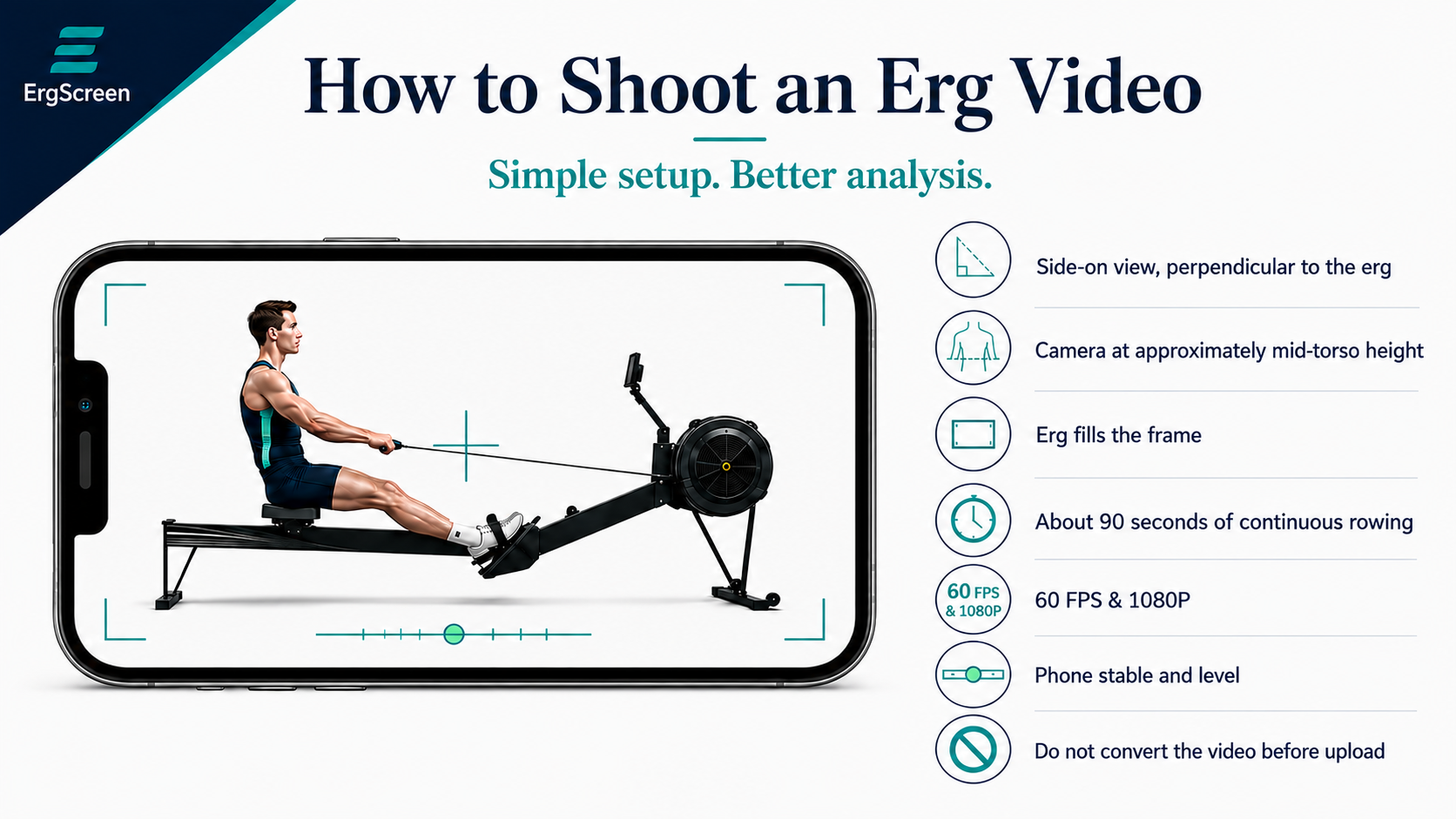
Use the clearest original footage you have — ideally about 90 seconds of continuous side-on rowing. ErgScreen looks for patterns that repeat.
Recording tip: keep the athlete clearly in frame, use a stable camera, capture about 90 seconds, and upload the original video when possible.
02 · Qualify the evidenceUse only the strokes the clip can support.
ErgScreen identifies the stroke sample, checks whether the clip is readable enough for comparison, and excludes strokes that should not contribute to the movement read. Reports show how many strokes were usable and which were omitted.
03 · Add the storyGive the video the context it deserves.
Add the athlete, session, and reason this screen matters.
04 · Generate evidenceTurn the read into something useful.
Create the right output: athlete read, recruiting packet, coach brief, or Coach Intelligence report.
What ErgScreen reveals
The monitor shows what happened. ErgScreen shows how it happened.
Watts and splits tell one part of the story. ErgScreen shows what stayed connected, what drifted, and what deserves verification.
Session referenceThe pattern the athlete repeats.
ErgScreen does not compare every rower with a universal “perfect stroke.” It uses the usable strokes in this clip to establish the athlete’s repeating session pattern, then shows where individual strokes meaningfully depart from it.
Real stroke evidenceThe read is backed by strokes, not vibes.
Stroke Evidence preserves the usable sample, omitted strokes, and the specific strokes supporting each qualifying finding. The summary can always be traced back to the evidence behind it.
Coach controlKnow what is supported — and what needs another look.
Show what is clear, what is promising, and what should not be overread.
What comes out
One screen. Four ways to make the athlete easier to understand.
The same evidence can help an athlete learn, a family share, a coach review, or a program make a next-step decision.
01 · For the athleteMovement Analysis
Show the athlete what the video may be saying — what looks strong, what is changing, and what is worth improving before the next screen.
02 · For the evidenceStroke Evidence
Turn the read into something reviewable, with the strokes behind the signal and the details that explain why it matters.
03 · For recruitingRecruit Packet
Give recruits and families something more credible than a loose clip: a polished packet that carries the athlete, the session, and the evidence together.
04 · For coachesCoach Intelligence
Use selected ErgScreens for individual or team questions: what repeats across supported reports, what appears only in one session or rate, how the drive changes within a screen, and which athletes meet a selected screening standard. Separate camera captures remain separate observations; ErgScreen compares supported findings across sessions rather than treating different videos as one continuous measurement.
Why it feels different
The video stops being a guess.
ErgScreen gives the athlete’s movement a clearer voice.
A loose video can be overread, underrated, or forgotten. ErgScreen turns it into a sharper story.
The same video that used to sit in a text thread can become athlete feedback, recruiting evidence, coach review, or a team intelligence report.
For athletes and families
Know the story before the video travels
Understand what a coach may notice before outreach begins, then share a polished packet when the athlete is ready.
ErgScreen reads visible movement from one side-on camera view. It can compare stroke-to-stroke movement relationships, recovery order, rate, rhythm, and supported changes within the submitted clip.
It does not directly measure force, boat speed, left-right symmetry, injury risk, or on-water performance.
When the video cannot support a conclusion, ErgScreen should not make one.
Guardrail
Evidence that supports judgment — not software that replaces it.
Power still matters. Boat speed is still the truth. ErgScreen makes the movement layer harder to miss without replacing judgment.